Claude Projects - The Foundation of Thought Partnership
What happens when you stop treating AI as a content generator and start using it as a genuine thinking partner? In this experiment, I explored Claude's Projects feature to develop and refine a presentation through multiple iterative sessions. The key discovery: Claude Projects creates a persistent workspace where context carries across conversations. No more re-explaining your project every time. Instead, each session builds on the last - from initial brain dump to structure creation, through voice conversations about creative decisions, all the way to final refinements based on practice session feedback. I found the most value not in having Claude write my presentation, but in using it to think through structural choices, narrative flow, and transitions. Voice conversations proved especially powerful for working through subjective creative decisions in real-time. This experiment demonstrates how AI tools excel when used for sustained creative partnership rather than one-off tasks. Whether using Claude Pro's Projects feature or bookmarking conversations in the free tier, the ability to maintain context transforms AI from a tool into a collaborator. [Read the full experiment on LinkedIn →]
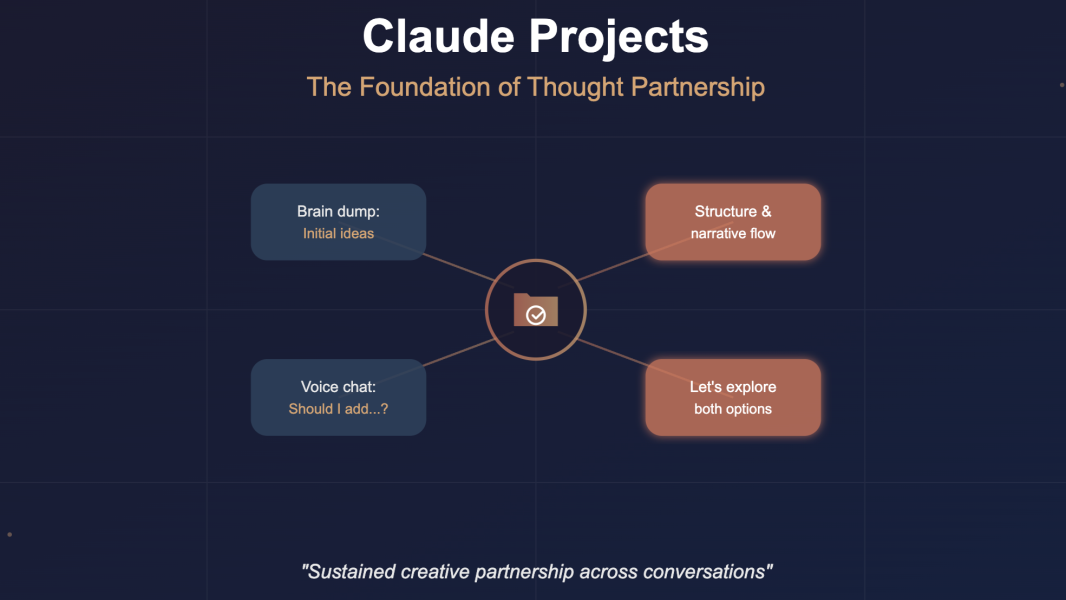
Claude Projects: Building a Persistent AI Thinking Partner
How I Used Claude Projects to Structure and Refine a Presentation
I started by creating a dedicated Claude "project" for my presentation. Think of projects as persistent workspaces where Claude remembers your context across conversations. I did an initial brain dump of my general talk idea and asked Claude to help me create a structure and flow.
After comparing outputs from multiple AI tools, I returned to Claude for the real iterative work. I had several voice conversations (yes, you can talk to Claude) to work through critical decisions: Should I add another use case? Were there better transitions to make the story more compelling? We decided together on the final structure.
Later in the process, I used Claude to help with proper slide structure given our agreed-upon content, then again to implement feedback from my book club practice session, and finally to refine my talk track.
Key Learnings
Claude excels at sustained creative partnership. The project feature meant I didn't have to explain my context every time. Our conversations built on each other, creating genuine iteration rather than starting from scratch.
Voice conversations change everything. Talking through structural decisions felt more natural than typing, especially for subjective creative choices. The back-and-forth helped me think, not just execute.
Use Claude for decisions, not just drafting. My biggest "aha" moment: I wasn't asking Claude to write my presentation. I was using it as a thinking partner to make better choices about structure, flow, and narrative arc.
The irony isn't lost on me. I'm asking you to experiment with AI tools in an article I created by experimenting with AI tools. But that's exactly the point. The messy process of trying, iterating, and discovering what works for you is where the value lives.
You don't need permission, but here it is anyway: If you have Claude Pro, create a Project right now. If you're on the free tier, start a regular conversation and bookmark it, then you can still build continuity by referencing previous discussions. Call it whatever you want. Talk to it like you'd talk to a thoughtful colleague who never gets tired, never judges, and always remembers context when you remind them. The worst that happens? You learn something. The best that happens? You find a thinking partner you didn't know you needed.
Start your own project or bookmarked conversation today.
Tools Used
Tool: Claude (Anthropic) - Where to Find It: claude.ai - Cost: Free tier available; Pro subscription for extended features