The Agent Got 99% Right—The Last Mile Ate My AI Credits
Every morning, I need to fill out a slip telling my kindergartener's school what they'll eat for lunch. I thought: this is exactly the kind of thing an AI agent should handle. Spoiler: the agent got almost everything right, but 'almost' doesn't fill out lunch slips.
Tools: Poe.com (Script-Bot-Creator), ChatGPT (GPT-5) Where to find them: poe.com, chat.openai.com What they cost: Poe has free credits then paid tiers; ChatGPT Free tier available, Plus $20/month
The Problem
Every morning, I need to fill out a slip telling my kindergartener's school what they'll eat for lunch. The menu lives on a Nutrislice page that requires multiple clicks to get to the right day. It's the kind of small task that's easy to forget when you're also wrangling backpacks, finding matching socks, and convincing a five-year-old that yes, they do in fact need to wear shoes.
If I forget the slip? The school calls. It's a minor headache, but a headache nonetheless.
I thought: this is exactly the kind of thing an AI agent should handle. Check the calendar, compare against what my kid likes, and just tell me what to pick (or even automatically update the school's list) each day.
The Experiment, Part 1: Building an Agent
To try and solve this without another subscription fee, I went to Poe.com and used the Script-Bot-Creator to build a lunch menu bot. I gave it the Nutrislice link for my district and told it which elementary school.
The bot got to work. It correctly identified that Nutrislice uses a JavaScript-rendered Angular app that loads menu data dynamically. It found the API endpoint pattern. It even discovered that the API uses a different subdomain than the main site. It successfully pulled the list of 35 schools in the district and found the right slug for my kid's school.
And then... JSON decode errors. The API returned empty responses. The bot tried different endpoint formats. More errors. It searched the web for updated API documentation. Tried again. Got a 404 because the school slug wasn't quite right. Fixed that. Then I provided the direct link to the January menu to help it along.
"Credit balance is too low."
I'd burned through all my free credits debugging an agent that never successfully ran once.
The Experiment, Part 2: A Different Approach
Since the agent route wasn't working, I tried a simpler approach. I found a calendar view page that shows a few weeks of menus at once and asked ChatGPT to pull the content from the link.
ChatGPT's response: "I tried to load the lunch menu from the link you provided, but the page content didn't render in a way I could extract the menu items directly. That Nutrislice system loads menu data dynamically with JavaScript, and the raw HTML that I can fetch doesn't include the actual menu details."
Translation: the calendar uses JavaScript to load the actual food items, so when ChatGPT fetched the page, it just got an empty shell.
What Finally Worked
I gave up on automation and did something decidedly low-tech: I copied and pasted all the visible content from the calendar page into ChatGPT. Then I asked for a clean table so I could spot-check that it properly listed the different items for each day.
Once I confirmed the table was accurate, I told ChatGPT what my kid likes (e.g., pizza, chicken nuggets, hot dogs) and asked for a recommended choice by day.
Now I have a monthly list I can reference. I can fill out slips ahead of time on Sunday night, or just email the teacher the whole month's preferences and not think about it again.
What Worked
- Manual copy-paste into ChatGPT: Once the content was actually in the chat, ChatGPT did a great job organizing it into a clean table and making recommendations based on my kid's preferences
- Asking for a verification table first: This let me catch any errors before relying on the recommendations
- Batching the whole month: Instead of trying to automate a daily task, I solved it once for the whole month
What Didn't Work
- Building an agent on Poe.com: The Script-Bot-Creator was impressively capable—it found the API, identified the subdomain pattern, pulled the school list. But the iterative debugging cycle (JSON errors → try new endpoint → 404 → search for docs → try again) burned through my free credits before I got a single successful menu fetch
- Having ChatGPT fetch the calendar directly: The Nutrislice system loads dynamically with JavaScript, so the raw HTML doesn't contain the actual menu data
- The dream of full automation: Sometimes "good enough" beats "perfect" when you have kids waiting at the door
Key Learnings
Agents can be impressively capable and still fail. The Poe bot did everything right: it found the API subdomain pattern, identified the school slug, handled the JSON parsing logic. The technical knowledge was there. But real-world APIs are finicky, and each debugging cycle costs credits. Capability doesn't guarantee success.
Dynamic content is still a wall. Both approaches hit the same fundamental problem: Nutrislice renders menus with JavaScript. The agent couldn't get clean API responses; ChatGPT couldn't scrape the rendered page. If a page loads its data dynamically, you might need to grab that content manually.
The debugging spiral is expensive. I watched the bot try endpoint after endpoint, each attempt burning credits: main domain → empty response → try API subdomain → JSON error → try different date format → 404 → search docs → try again. It's a familiar loop for any developer, but with AI agents, you're paying for each iteration.
Batch when you can't automate. When real-time automation fails, try batching. A monthly list took 10 minutes to create and will save me 5 minutes every morning for the next 20 school days.
The boring solution often wins. Copy-paste feels like giving up on the cool AI stuff. But it got me to a working solution in under 15 minutes, which is more than I can say for the agent approach.
A Note on What "Agent" Means Here
A fair critique of this experiment: I used Poe's Script-Bot-Creator, which is a general-purpose tool that writes code to solve problems. It tried to reverse-engineer the Nutrislice API—arguably the hardest way to tackle a dynamic website.
There are other approaches I didn't try. A "vision agent" that navigates a browser like a human—clicking through menus and reading what's on screen—might have fared better. Specialized scraping frameworks designed for this exact problem exist too, though they require more technical setup than most parents want to deal with at 7 AM.
The point isn't that automation is impossible. It's that the tool I reached for (accessible, consumer-friendly, promising) still couldn't close the gap between "almost working" and "actually useful." For everyday users, that last mile remains the hard part.
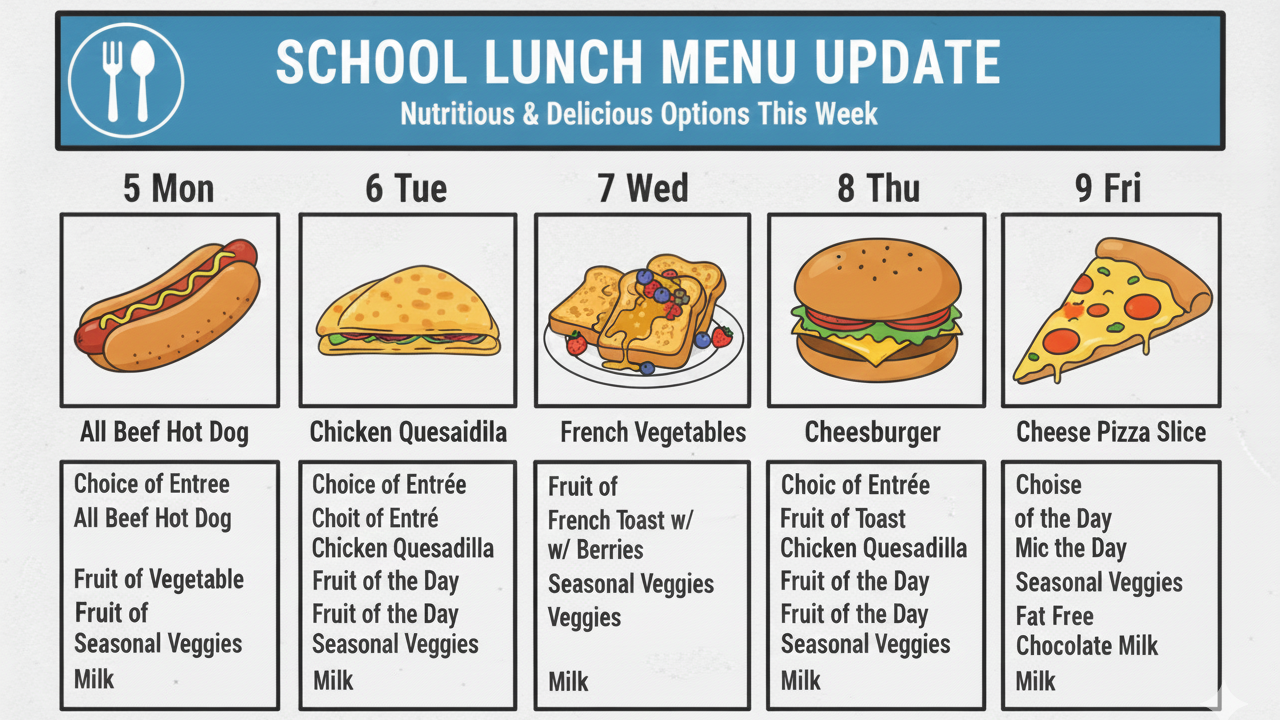
The cover image was generated by Google Gemini based on a screenshot of the actual lunch menu. The cartoon food turned out great; the text... not so much. "Choit of Entré" and "Mic the Day" weren't on the real menu, I promise.